HomeGlance app iconHomeGlancefor Home Assistant

Your smart home favorites, at a glance.

Instantly control your Home Assistant lights, climate, media, and cameras from your Mac menu bar. No browser tabs required.

Available for macOS 14 and newer

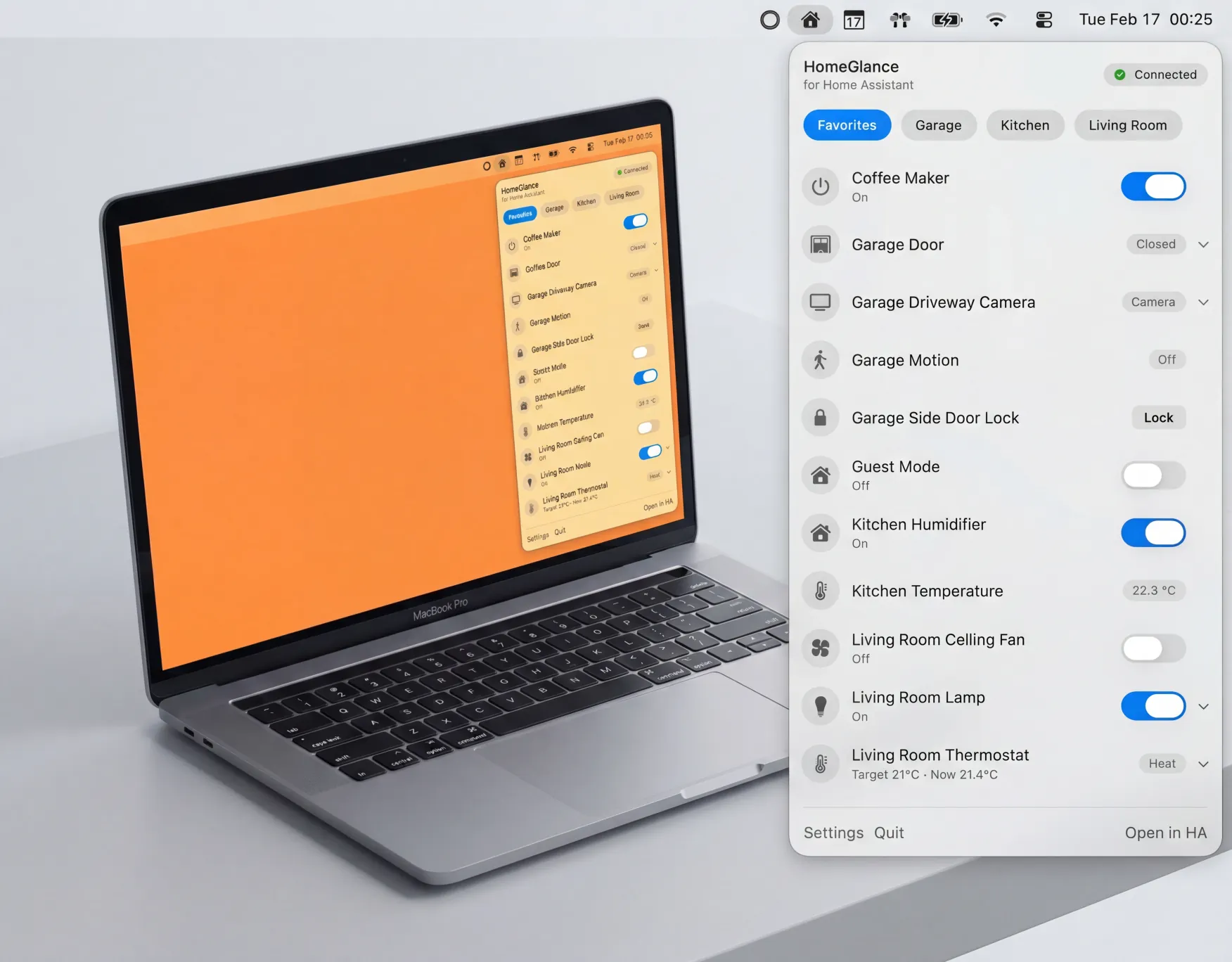
HomeGlance app interface running on macOS

Features

Designed for speed.

Keep the devices you use most in the menu bar, so the actions you repeat every day are always one click away. Reorder them to match how you actually use your home.
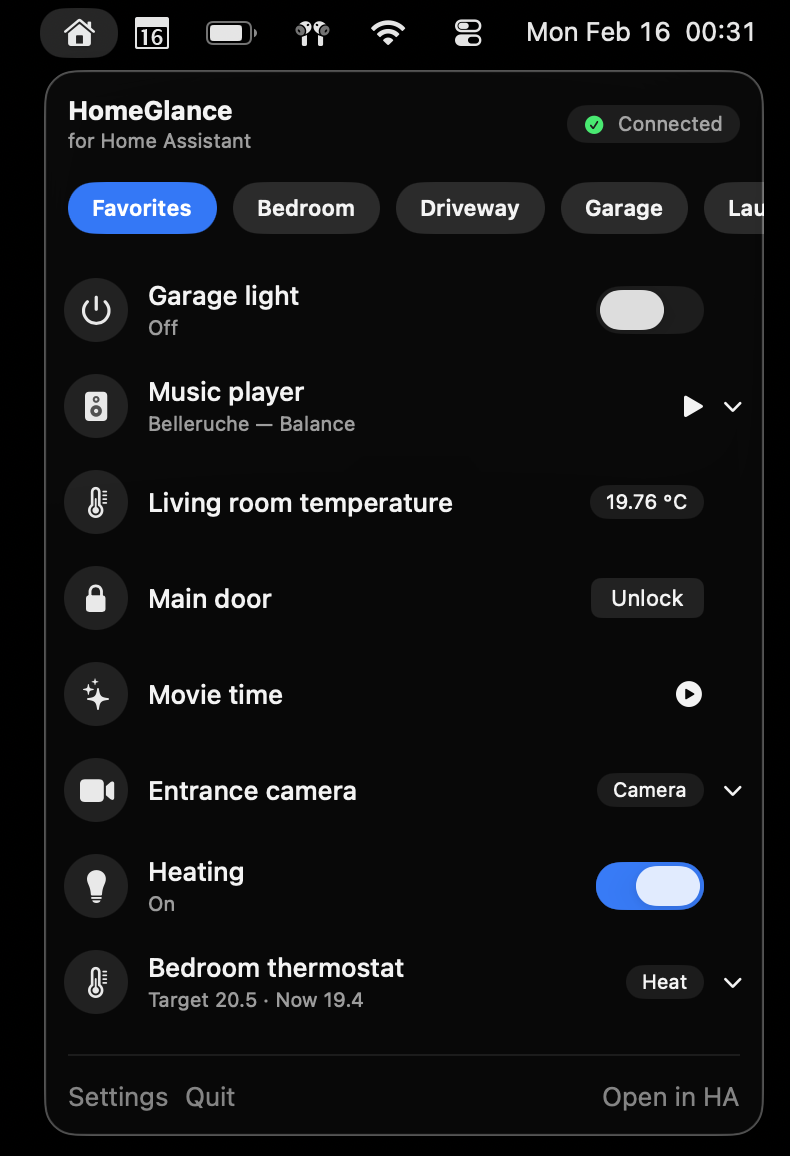
HomeGlance favorites menu view

Favorites menu

Your everyday devices, in the order you want, with instant access from the menu bar.
More than just toggles.

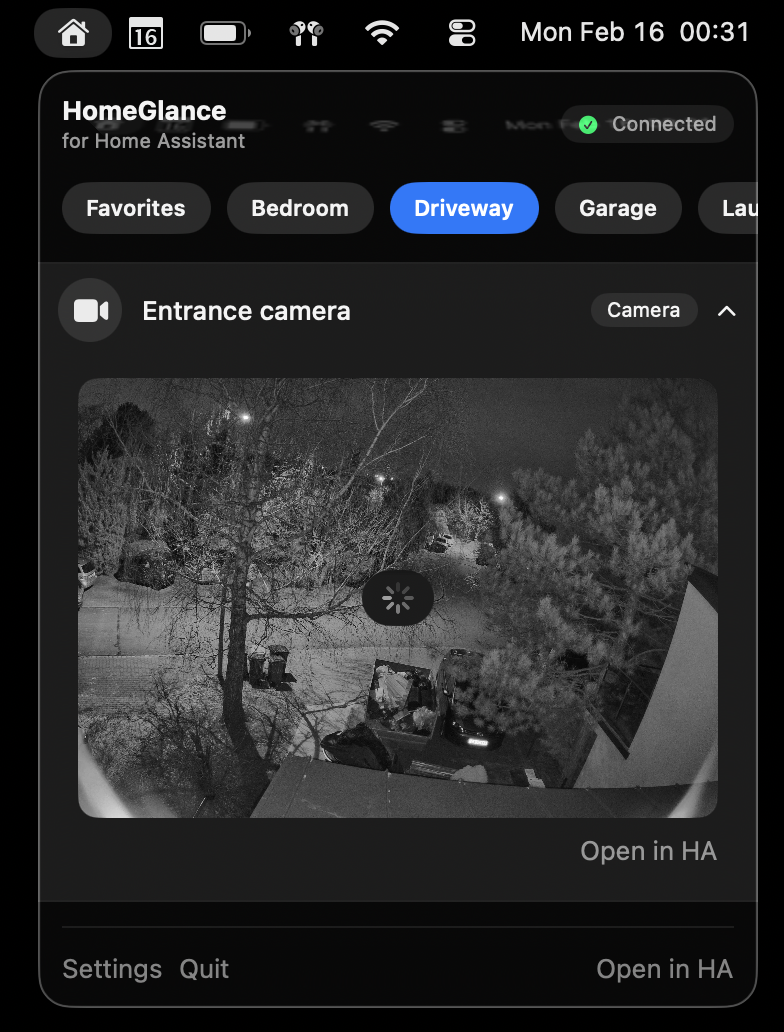
When a simple on/off switch is not enough, HomeGlance gives you the controls you actually need: climate adjustments, media playback, and camera views without jumping back into the full dashboard.

HomeGlance rich controls view

Rich controls

Expanded controls for climate, cameras, and media in a compact view that still feels fast to use.

Secure & Native.

HomeGlance is built specifically for macOS. Your Home Assistant token is stored in Keychain, and device states stay current through a direct real-time connection.

Feature Deep Dive

Built for real Home Assistant workflows.

HomeGlance is designed to reduce friction when you are on your Mac. It combines a minimal menu bar interface with the controls you actually use throughout the day.

Favorites-first menu bar control

See only the devices that matter to you every day. Reorder favorites and keep your workflow fast.

Real-time state sync

HomeGlance listens for Home Assistant state updates over WebSocket so statuses stay current.

Rich controls where needed

Adjust brightness, media volume, and climate targets with controls designed for quick desktop use.

Native security model

Your long-lived token is stored in macOS Keychain, and HomeGlance connects directly to your Home Assistant instance.

Supported Entities

What you can control

HomeGlance supports all currently implemented control types: lights, switches, fans, input booleans, humidifiers, climate, covers, media players, cameras, locks, and scenes, plus sensors and binary sensors for live status in favorites.

Lights and everyday toggles

Quick on/off actions with brightness for lights and one-click control for common toggle entities.

  • Lights
  • Switches
  • Fans
  • Input booleans
  • Humidifiers

Climate and covers

Set thermostat targets and move covers from the same menu bar panel.

  • Climate
  • Covers

Media players and cameras

Handle playback controls, volume changes, and camera views in one place.

  • Media players
  • Cameras

Locks and scenes

Lock and unlock doors, then trigger scenes in seconds.

  • Locks
  • Scenes

Sensors and status entities

Pin read-only entities to favorites so motion, temperature, and other state updates stay visible.

  • Sensors (status)
  • Binary sensors (status)

Launch Workflow

How HomeGlance works

Connect once, pick favorites once, then control your home from the menu bar every day.

01

Connect Home Assistant

Add your Home Assistant URL and long-lived access token in HomeGlance settings.

02

Pick and order favorites

Choose the entities you use most and arrange them in the order you want in the menu.

03

Control everything at a glance

Use fast menu bar actions and see state changes instantly while you work.

Product Screenshots

Current app previews

A quick look at the main HomeGlance flows: everyday controls, favorites setup, and first-time connection.

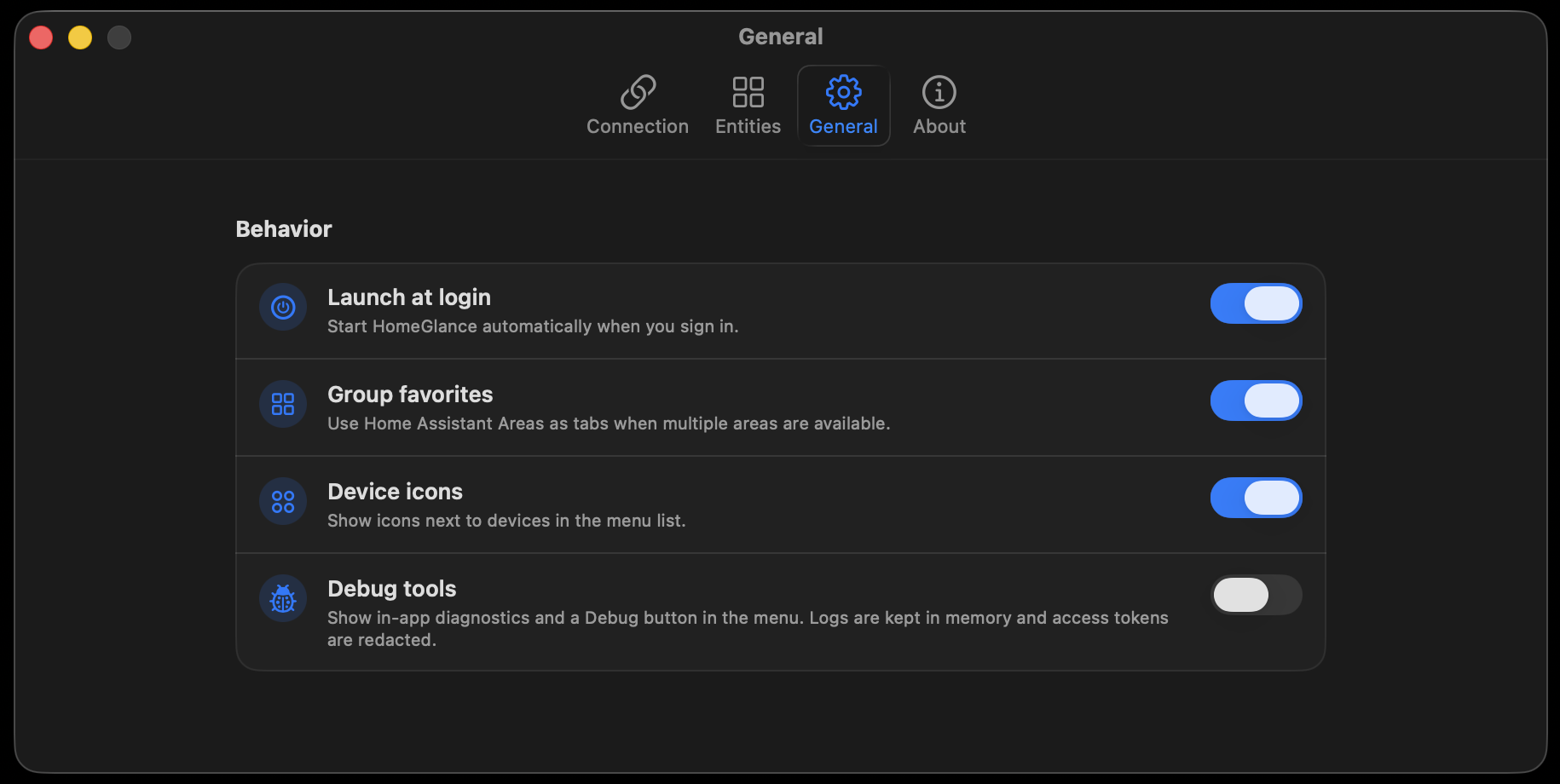
Connection setup

Enter your Home Assistant URL, add a long-lived token, and verify the connection in a few seconds.

HomeGlance connection setup screenshot

Favorites management

Search, filter, and reorder the devices you want to keep close at hand.

HomeGlance favorites management screenshot

Controls in action

Open richer controls for climate, media, and cameras without leaving the menu bar.

HomeGlance controls panel screenshot

Frequently Asked Questions

Common questions

Common questions about compatibility, pricing, security, and system requirements.

Will HomeGlance work with Apple HomeKit?

HomeGlance connects to Home Assistant, not directly to Apple HomeKit. If your devices are available in Home Assistant (including via HomeKit integrations), you can control them from HomeGlance.

Is HomeGlance a one-time payment?

Yes. HomeGlance is planned as a one-time purchase, not a monthly subscription.

Is HomeGlance safe to use?

HomeGlance connects directly to your Home Assistant instance. Your long-lived token is stored in macOS Keychain, and there is no required third-party cloud relay for everyday control.

Can I use HomeGlance on macOS 13?

Not for the launch release. HomeGlance targets macOS 14 and newer.

Does HomeGlance run on Windows?

Not currently. HomeGlance is a native macOS app and does not run on Windows.

Do I need Home Assistant Cloud (Nabu Casa)?

No. HomeGlance works with any reachable Home Assistant instance, whether local-only or remotely exposed through your preferred setup.

Can I control multiple device types?

Yes. HomeGlance is built for mixed setups, including lights, climate, covers, media players, cameras, locks, and scenes.

Does HomeGlance replace the full Home Assistant dashboard?

It is designed for fast everyday actions from the menu bar. You can still use the full Home Assistant dashboard for deeper automations and admin tasks.