Control Home Assistant from your Mac menu bar.
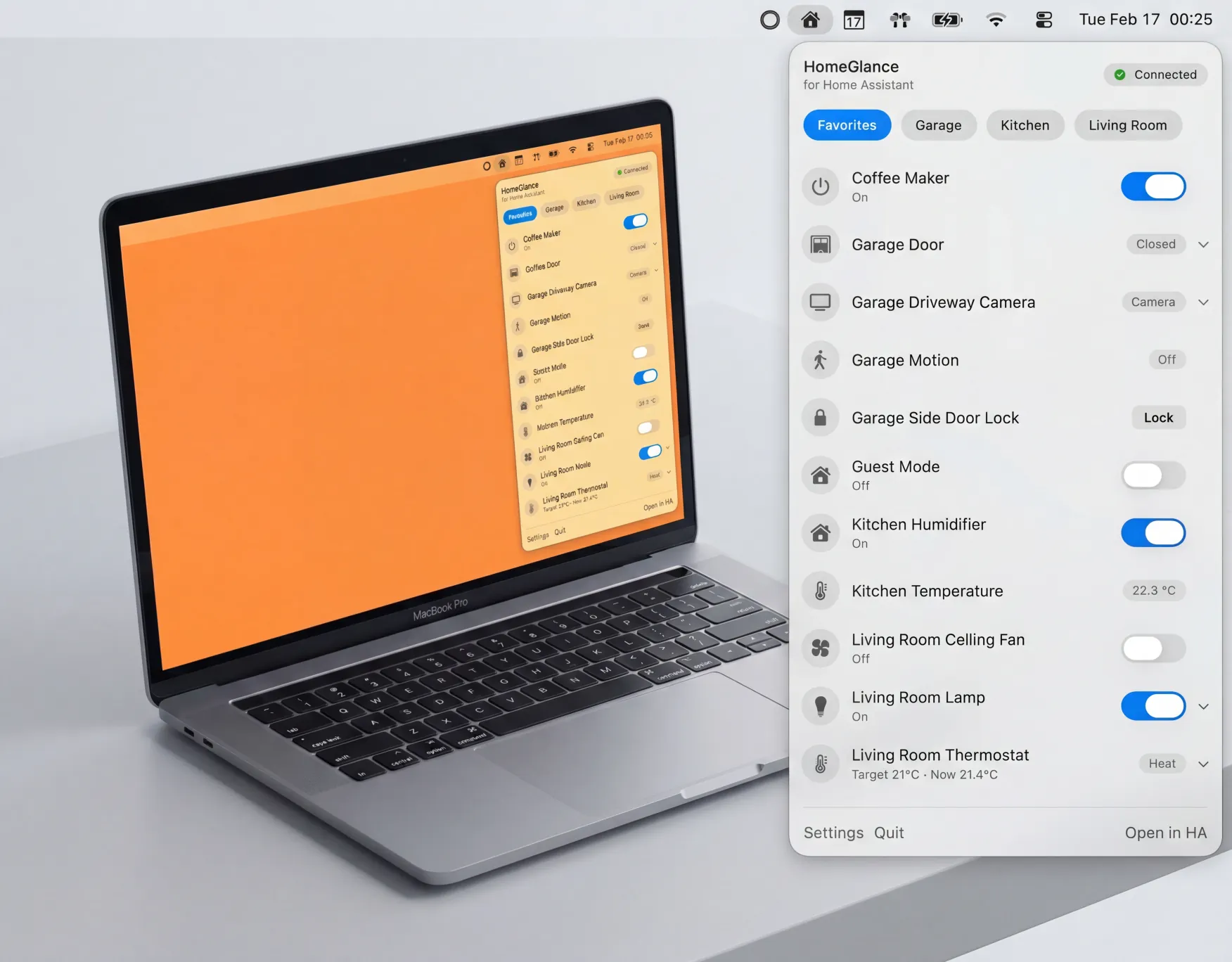
Pick your daily devices and control them instantly — lights, media, climate, covers, locks, scenes, and cameras. Native macOS app with real-time updates and Keychain-secured access.
$6.99 one-time purchase · Requires macOS 14 or later
HomeGlance
for Home Assistant
Floor Lamp
On
Ceiling Fan
Off
Go ahead — flip a switch.
Your smart home favorites, one click away.
Favorites-first
The menu shows only the devices you pick — your daily drivers, in the exact order you want.
Real-time updates
A WebSocket connection keeps every state in sync, live, as your home changes.
Rich controls
Brightness, volume, and temperature sliders. Locks, scenes, covers, and play/pause — one click away.
Camera live view
Watch cameras right from the menu bar with HLS streaming and automatic snapshot fallback.
Keychain security
Your access token is stored in the macOS Keychain — never in plain text.
Native macOS
Built with SwiftUI for macOS 14+. Launch at login and feel right at home in your menu bar.
How it works
Connect
Paste your Home Assistant URL and a long-lived access token. Test the connection in one click.
Pick favorites
Search and filter your entities, toggle them into favorites, and drag to reorder.
Control instantly
Open the menu bar and toggle, dim, play, lock, or watch — without opening a browser.
Private by design.
Direct connection
HomeGlance connects directly to your Home Assistant instance. No cloud middleman, no account required.
Token in Keychain
Your access token is stored in the macOS Keychain, the same secure storage your passwords use.
No analytics
No analytics SDKs or trackers. What happens in your home stays in your home.
Frequently asked questions
Do I need Home Assistant?+
Yes. HomeGlance is a client for an existing Home Assistant instance.
How do I connect?+
You provide your Home Assistant base URL and a Long-Lived Access Token, then click Test Connection.
Where is my token stored?+
In the macOS Keychain — never in plain text or UserDefaults.
Does it use a cloud service?+
No. HomeGlance communicates directly with the Home Assistant URL you enter.
What devices are supported?+
Any entity can be favorited for status display. Controls exist for lights (incl. brightness), switches, fans, input booleans, humidifiers, climate, covers, media players, locks, scenes, and cameras.
Is there a subscription?+
No. HomeGlance is a one-time purchase of $6.99 — no subscriptions, no in-app purchases, and no paid upgrades or extensions. You get the full app, including future updates.
Is it affiliated with Home Assistant?+
No. HomeGlance is an independent, third-party app and is not affiliated with or endorsed by the Home Assistant project.
Home Assistant — without the tab switching.
$6.99 one-time purchase