February 4, 2026
Introducing HomeGlance
If you run Home Assistant, you know the feeling: you just want to toggle a light, nudge the thermostat, or pause the music — and that means finding the right browser tab or reaching for your phone. Your dashboard is great, but opening it is friction for simple actions.
HomeGlance fixes that. It's a native macOS app that puts your most-used Home Assistant devices in the menu bar, so you can check status and control them in seconds.
Favorites-first, by design
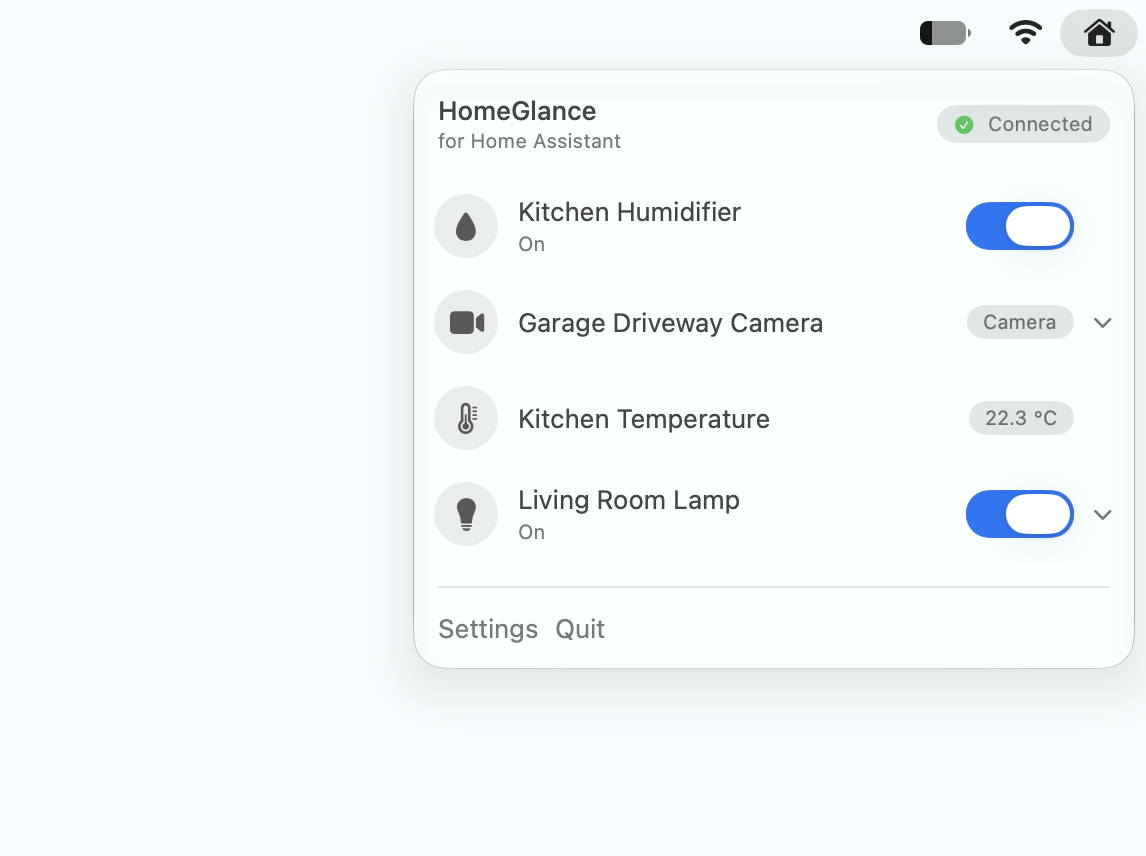
Instead of mirroring your entire dashboard, HomeGlance shows only the entities you choose — your daily drivers — in the exact order you want. Lights, switches, scenes, and locks respond with one click, while climate, media players, and cameras expand into richer controls. You can even group favorites into tabs by Home Assistant Area.
Fast, secure, and direct
HomeGlance connects directly to your Home Assistant instance and keeps everything in sync over a WebSocket — states update live as your home changes. Your access token lives in the macOS Keychain, and there are no analytics SDKs or trackers.
What's next
This is just the beginning. Follow this blog for release notes, tips, and what's coming next. In the meantime, check out the full feature list or head to Support to get connected.